 Korea Experience Finder
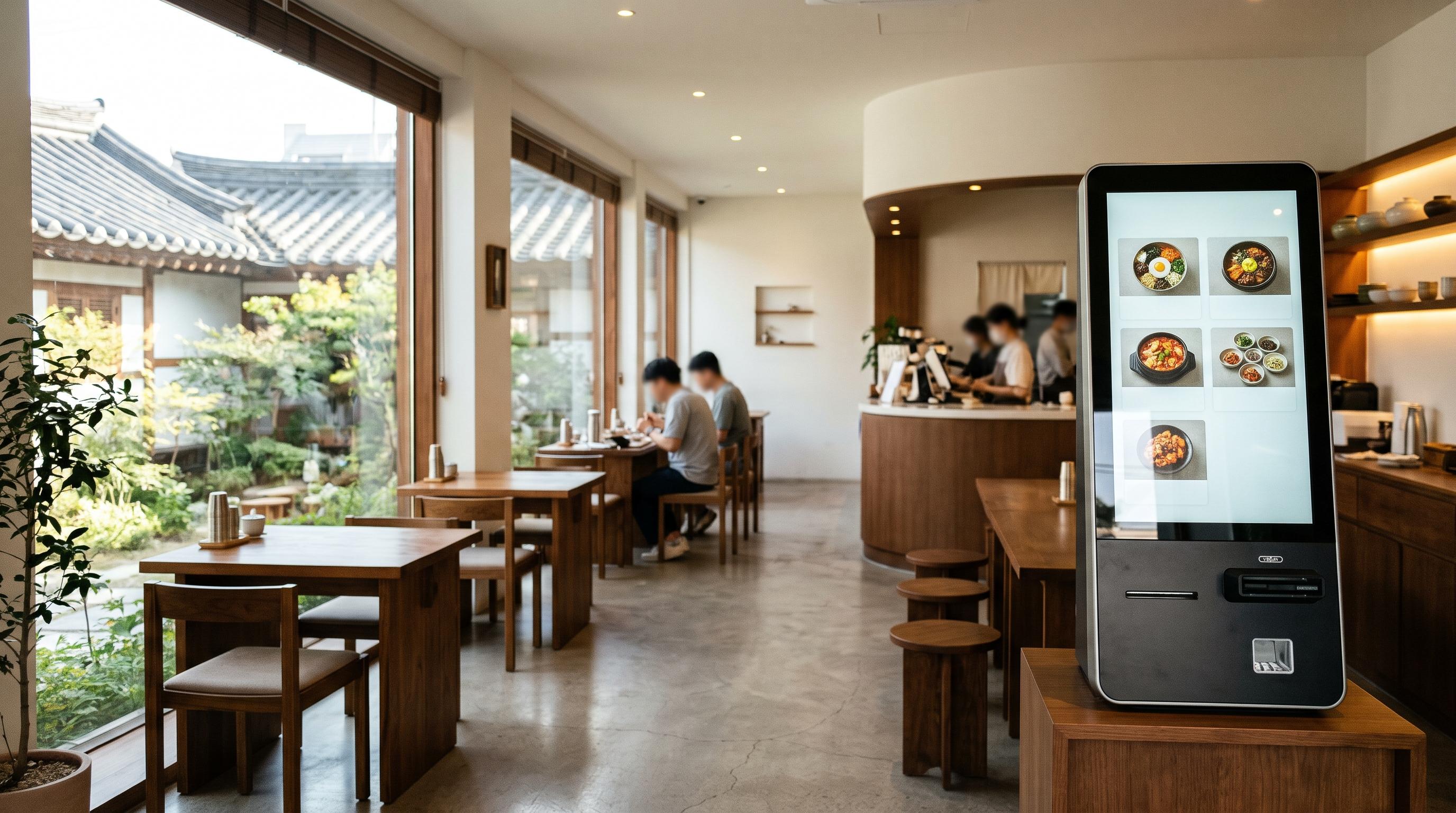
Use the Naver Papago camera overlay to read menus in real time, choose dine-in or takeout, bypass membership popups, and insert an IC chip card to pay in KRW.
Understanding Why Korean-Only Kiosks Dominate Local Dining
Touchscreen ordering stations have become the standard service interface across South Korea, appearing in fast-casual diners, franchised bakeries, specialty noodle shops, and independent neighborhood restaurants. While international hospitality chains and businesses located in prominent tourist hubs such as Myeongdong or Hongdae frequently offer multi-language software toggles, a significant portion of local dining venues continues to operate systems programmed exclusively in Korean. For independent establishments, point-of-sale suppliers and hardware vendors distribute standardized terminal templates geared directly toward local domestic consumers, meaning non-Korean interfaces are rarely integrated into typical neighborhood kiosks.
Travelers seeking authentic residential eateries and compact neighborhood gems will routinely encounter Korean-only touchscreen setups. Most small eateries adopt entry-level hardware packages optimized purely for speed and kitchen synchronization rather than foreign-language localization. Because kitchen ticket printers and inventory tracking systems are built around standardized Korean dish nomenclature, independent operators have little commercial incentive to reconfigure default catalog displays. Recognizing this operational reality allows international visitors to approach unattended dining terminals with effective visual and digital translation tools rather than expecting multilingual prompts.
Real-Time Screen Translation: Operating Papago at the Terminal
The primary operational tool for overcoming all-Korean kiosk interfaces without human assistance is live optical translation software. While general translation engines offer broad global language support, Naver Papago provides specialized neural machine translation fine-tuned specifically for Korean culinary terms, stylized storefront typography, and contemporary food acronyms1. Papago integrates Hierarchical Text Structuring and inpainting technology, which analyzes Korean sentence blocks in an image and reconstructs English translations directly over the original visual layout1.
To order smoothly without creating long queues behind you, launch the application prior to approaching the kiosk and select the Korean-to-English translation pair1. Activating Papago's AR Real-Time Camera Translation allows you to hold your smartphone directly in front of the terminal monitor to review live translated text overlaid on each menu button1. If overhead ambient lighting produces glare on the touchscreen, switch from AR mode to Instant Image Translation; capturing a single stable photo enables you to pinch, zoom, and inspect specific price tags and modification options with precision1. Note that Papago's offline language pack supports only manual text input and selected voice features; optical camera modes—both AR live translation and instant photo translation—require active mobile data (cellular LTE/5G or Wi-Fi) to function, making it essential to verify your network connectivity before stepping up to order in subterranean food courts.
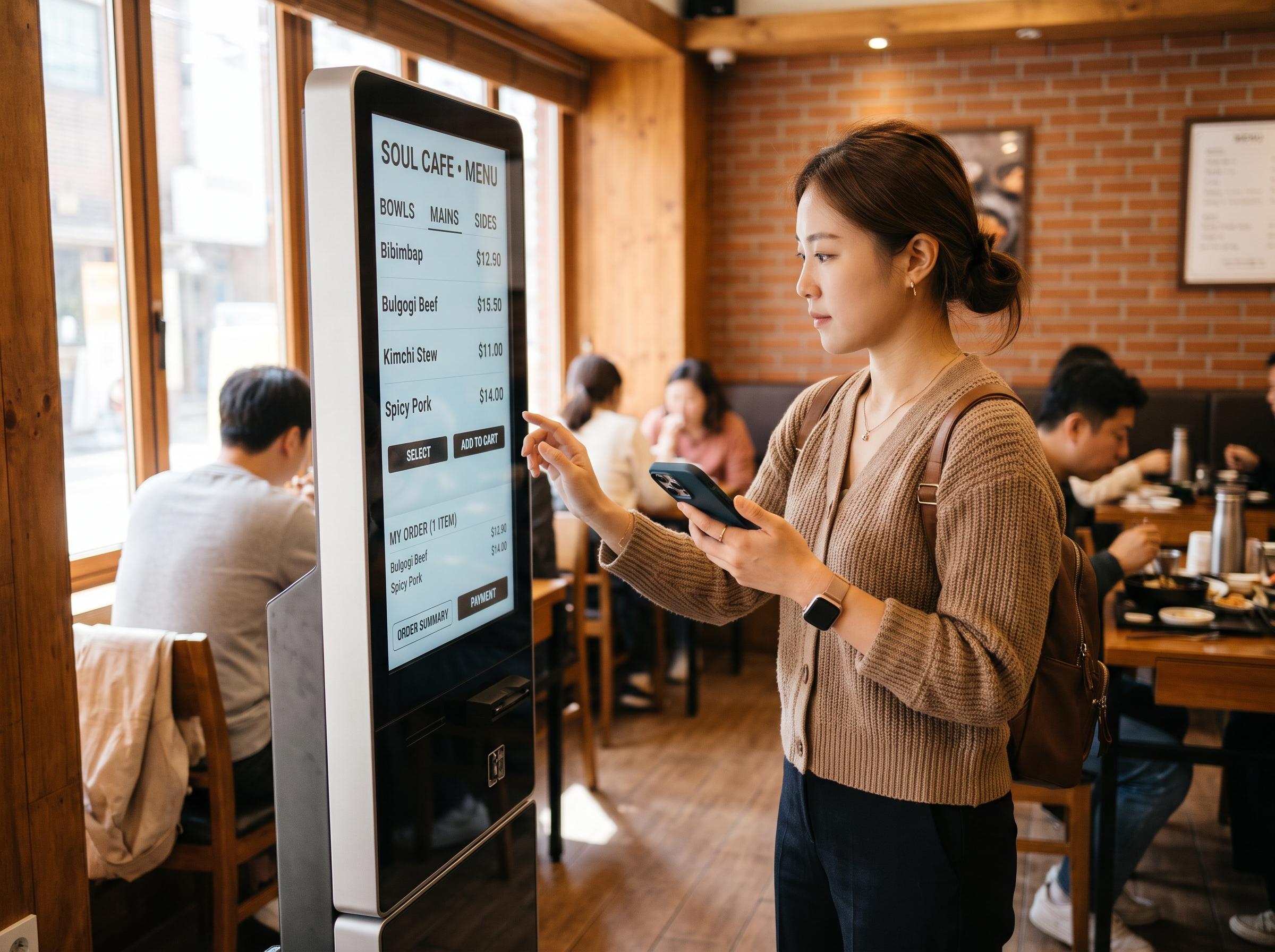
Step-by-Step Kiosk Interface Navigation: From Dining Mode to Receipt
While software layouts differ across point-of-sale vendors, nearly every Korean restaurant ordering kiosk follows an identical architectural flow. The introductory idle screen invariably requires customers to determine where the food will be consumed before any menu categories unlock. You will be presented with two prominent icons: Dine-in, rendered in Korean as '매장식사' (Maejang-siksa) or '먹고가기' (Meokgo-gagi), and Takeout, labeled as '포장하기' (Pojang-hagi) or '포장' (Pojang). Selecting the wrong mode can disrupt kitchen workflows, as takeout packaging regulations in Korea restrict the use of single-use disposable plastics for customers dining inside the premises.
Once inside the product catalog, horizontal category tabs along the top or side sort selections by mains, side dishes ('사이드'), and beverages ('음료'). Tapping an item typically triggers a secondary customization window. Here, diners must choose between a standalone single dish ('단품', Danpum) and a set combination meal ('세트', Seteu). This customization panel also features temperature preferences for beverages—'차가운' or 'ICE' versus '따뜻한' or 'HOT'—as well as spicy broth adjustments. After verifying your selections in the bottom shopping cart tray, press the prominent colored button marked '주문하기' (Order) or '결제하기' (Checkout) to initiate payment.
Navigating Checkout Popups and Payment Hardware
The checkout phase frequently presents intermediate popup modal windows that confuse first-time international visitors. The most persistent obstacle is the loyalty point accumulation screen, marked '포인트 적립' (Point Accumulation) or '멤버십' (Membership). These systems mandate an active South Korean domestic mobile telephone number and residential registration. Because international phone numbers are incompatible with these retail databases, always select the cancellation or bypass option, labeled '건너뛰기' (Skip), '없음' (None), or '취소' (Cancel), to proceed directly to the financial gateway.
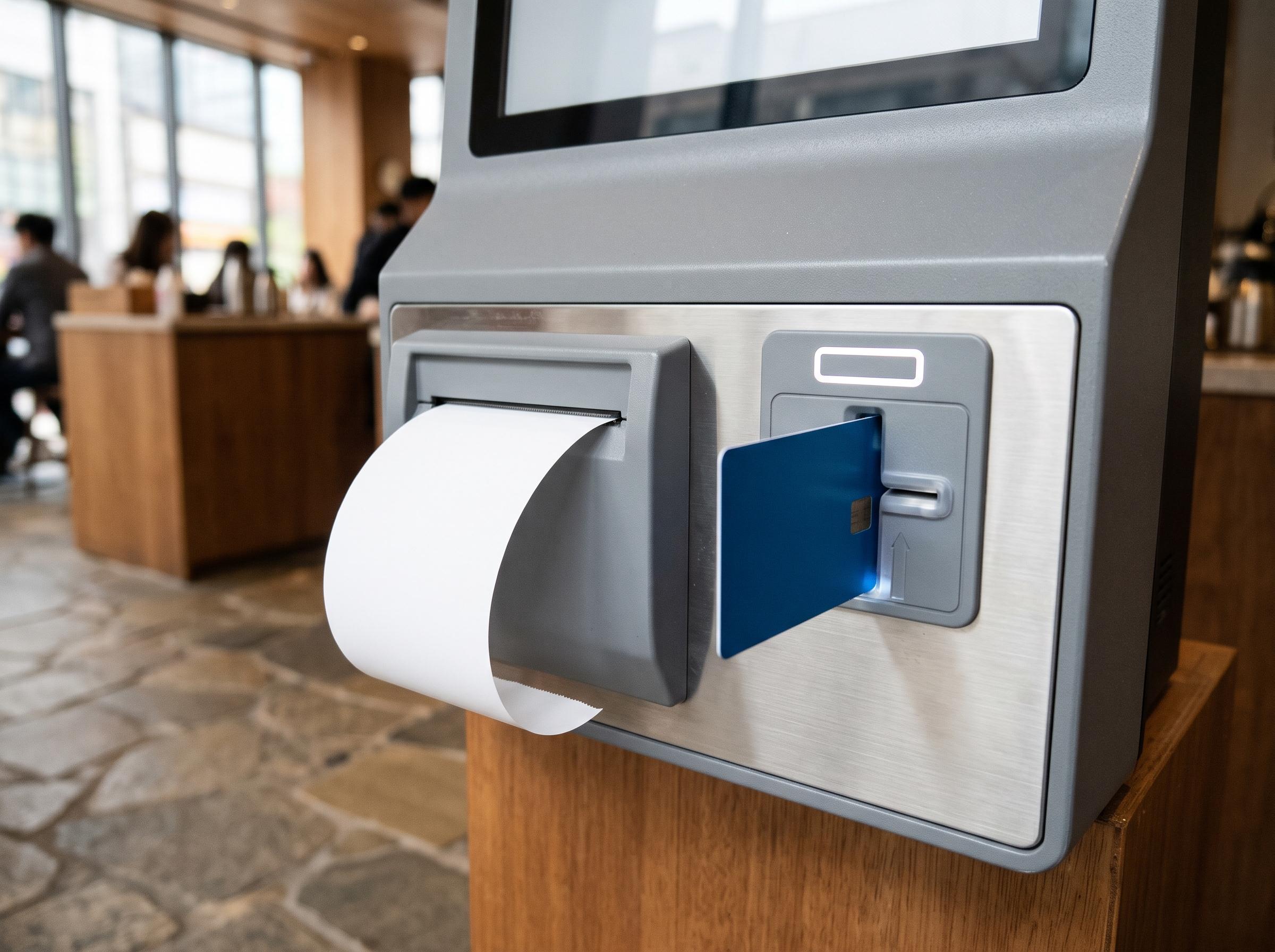
When the payment terminal activates, international visitors should rely primarily on physical credit or debit cards equipped with an EMV chip3. The overwhelming majority of self-order kiosks in South Korea operate on a card-only basis, leaving physical cash slots disabled or entirely absent3. Insert the physical card downward into the integrated IC chip reader slot located at the bottom right or lower ledge of the kiosk, and leave it inserted until the screen updates3. Foreign contactless digital wallets, including international Apple Pay or Google Wallet setups, frequently fail on domestic restaurant card readers because local merchant acquirers often utilize closed domestic payment networks3. Furthermore, if the terminal prompts a currency selection known as Dynamic Currency Conversion (DCC), always choose South Korean Won (KRW) over your home currency to avoid unfavorable processing conversion markups3.
Comparing Ordering Strategies for Non-Korean Speakers
Selecting the most effective communication approach depends heavily on ambient restaurant conditions, customer traffic, and individual equipment capabilities. In fast-paced urban cafeterias during lunch rush hours, standing before a screen for minutes attempting manual word translation can create friction with waiting locals. Conversely, entering a sit-down diner with seated tabletop ordering tablets presents entirely different interaction dynamics than a centralized standing lobby terminal.
| Method | Processing Speed | Glare & Visual Tolerance | Staff Interaction Level | Key Use Condition |
|---|---|---|---|---|
| AR Live Camera Translation | Fastest (instant live stream) | Moderate (sensitive to screen reflection) | Zero (fully independent) | Quick visual skimming of high-level menu categories |
| Instant Snapshot Photo Translation | Moderate (takes 3-5 seconds) | High (captures fine detail, zoomable) | Zero (fully independent) | Detailed inspection of set items, sides, and spicy options |
| Staff Counter Assistance | Fast (direct physical communication) | High (bypasses screen entirely) | High (direct spoken or gestural interaction) | Card rejections, cash payments, or severe dietary restrictions |
| 1330 Travel Helpline Three-Way Call | Slow (operating daily 07:00-24:00 KST) | Complete (operator clarifies all terms) | High (remote telephone interpretation) | Complex medical allergy verifications and dispute resolution |
As outlined in the comparison above, matching your method to the context minimizes anxiety. Using AR camera mode serves best when you simply need to differentiate between basic categories such as pork cutlet, cold buckwheat noodles, or beef stew. When selecting intricate meal modifications or parsing complex combo pricing, switching to snapshot mode offers superior clarity and eliminates visual jitter.
Handling Errors, Card Declines, and External Support
Payment rejections represent the most frequent technical hurdle at self-order terminals. If your international credit card is declined, do not continue re-inserting it repeatedly, as this can trigger fraud prevention security locks from your home financial institution3. Instead, retain your place, capture a picture of the error prompt, and approach the kitchen pickup counter. Politely catch an employee's attention and ask, '카운터에서 결제할 수 있어요?' (Kaunteo-eseo gyeolje-hal su isseoyo? / 'Can I pay at the counter?')3. Counter-based point-of-sale terminals use separate clearing pathways that often successfully approve international bank cards when unattended kiosk terminals fail3.
When verbal communication fails completely or when you must communicate critical dietary restrictions such as severe nut or shellfish allergies, leverage official public tourist support. The Korea Tourism Organization provides the 1330 Korea Travel Helpline, offering free telephone interpretation and assistance across English, Japanese, and Chinese2. Operating daily from 07:00 to 24:00 (midnight) KST as of late 2026, the service can be reached by dialing 1330 from local phone networks or through free online calling and text chat in the official VisitKorea platform2. Travelers can initiate a call during daytime and evening dining hours and request a three-way phone conversation with restaurant staff to resolve menu ambiguities or payment issues.
Frequently asked questions
Q. Can I pay with cash at Korean restaurant self-order kiosks?
A. Most self-service kiosks in Korea are strictly card-only and lack functioning cash acceptors. If you only carry cash, approach the counter directly and ask the staff '현금 결제 되나요?' (Hyeongeum gyeolje doenayo?) to place your order.
Q. What should I do if the kiosk asks for a Korean phone number?
A. Kiosks request phone numbers exclusively for domestic loyalty points or SMS order notifications. Because foreign phone numbers are not supported, bypass this screen by pressing '건너뛰기' (Skip), '없음' (None), or '취소' (Cancel).
Q. How do I know when my food is ready after ordering at a kiosk?
A. Check your printed paper receipt for a bold 3-digit or 4-digit number labeled '주문번호' (Order Number). Watch the digital wall monitor above the counter; when your number flashes, collect your tray at the '받는 곳' (Pick-up) station.
Q. Why did the kiosk reject my foreign credit card?
A. Rejections typically stem from terminal incompatibility with foreign cards, lack of overseas authorization on your card, or failure of NFC contactless readers. Insert your physical IC chip card firmly into the reader, or ask staff to process payment at the primary counter terminal.
Sources
- Papago, the global translator that translates hearts and culturesNAVER Corp.
- 1330 Korea Travel Helpline offers Convenient Travel AssistanceKorea Tourism Organization (VISITKOREA)
- Using a Foreign Credit Card in Korea: KRW, Cash Backup and DeclinesKorea Travel List